A first reply, without the wait.
Send an initial email when a lead enters your enabled automation. Keep the conversation moving while your crew is on a roof.
You handle the roof.
We’ll help with the follow-up.
RoofNudge connects to your inbox and calendar, replies to new leads, asks the right questions, and helps turn a homeowner’s first message into your next estimate.
Starter 14-day trial · Card required · Plans from $79/month · Cancel anytime
Illustrative conversation, condensed for clarity. Names, times and outcome are fictional.
A homeowner needs to know you’ve heard them-and what happens next. Keep that next step clear, from the first reply to the site visit.
A new roofing inquiry enters from your connected inbox, a webhook or your team.
Your enabled email automation sends a reply using your company’s settings.
Qualification covers the job, location and timing. Your team can take over when needed.
A suitable time is checked against the connected calendar and saved with the lead.
See the homeowner, requested work, source and current status in one workspace. Search, filter and open the conversation when your team needs the details.
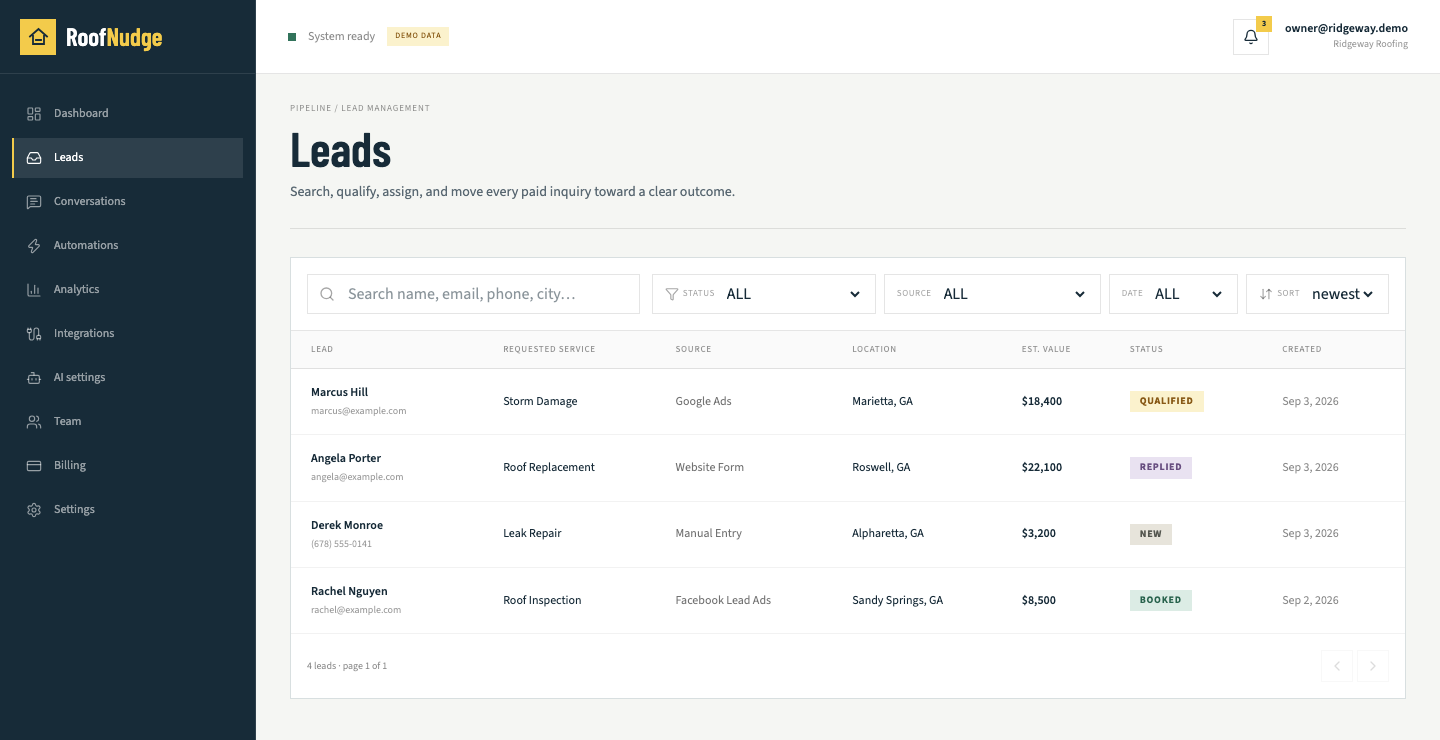
You choose the timing, tone and limits. RoofNudge handles the repeatable follow-up and keeps the details together for your team.
Send an initial email when a lead enters your enabled automation. Keep the conversation moving while your crew is on a roof.
Set your own timing. Sequences stop when a homeowner replies, books, opts out, or the opportunity closes.
Set services, territory and qualification questions. Add rules for pricing, insurance claims and conversations that need a person.
Connect a calendar, set appointment hours and check availability. Keep the booking and conversation with the lead.
Set the information your assistant can use and the situations that need your attention. Review conversations, change your settings and keep your team in control.
How the connections workWhen Gmail or Microsoft 365 (Beta) is connected and delivery is enabled, messages can be sent from your connected mailbox. Replies stay associated with the conversation. A separately configured email provider is also supported.
Automations queue an initial response when an eligible lead arrives. Actual delivery time depends on inbox sync, worker processing and your email provider. The sample above is an illustration, not a response-time guarantee.
Not yet. The current workflow uses email. SMS and voice are not active features.
The no-reply follow-up sequence stops. The conversation can continue through enabled AI replies or your team, according to your settings and handoff rules.
Lead and team-seat allowances are enforced before overage. Check your usage and upgrade if you need more capacity. Starter includes 50 leads and one user; Growth includes 200 leads and three users; Pro includes 500 leads and ten users.